
Alternatives to Index Coverage: Better Ways to Monitor Your Site's Search Visibility
Discover the best alternatives to index coverage reporting, from log file analysis and AI SEO tools to the URL Inspection API and site crawl platforms.
本文目前只有英文版。站点其余部分已汉化,这篇内容尚未翻译。
The Index Coverage report is the Google Search Console view that tells you, at site scale, which of your pages Google indexed and which it excluded, with a reason attached to each exclusion. If you cannot find it, it was not discontinued: Google renamed it to the Page indexing report, and it sits under Indexing, then Pages.
So "alternatives to index coverage" almost always means one of two things. Either you are looking for the report itself under a name you did not know had changed, in which case you are already finished. Or the report is genuinely too slow, too coarse, or too narrow for the question you are asking, and you want an instrument that answers that question better. This page covers both: the rename first, then, scenario by scenario, what to reach for when the report is not enough.
Why Index Coverage Alone Isn't Enough
For years, webmasters and SEO professionals have relied on Google Search Console's Index Coverage report to understand which pages are indexed, excluded, or experiencing errors. While it remains a useful starting point, index coverage has notable limitations — delayed data, limited granularity, and no actionable insights beyond basic status labels.
But "not enough" is not the same as "replaceable." Nothing else shows you, at site scale, what Google actually indexed and why it excluded the rest. So the alternatives to index coverage below are complements rather than substitutes: each covers a blind spot the report leaves open, and the useful move is to surround the report, not to drop it.
First: the report was not discontinued — it was renamed
Many of the people searching for alternatives to index coverage are not shopping for a tool. They opened Search Console, could not find the report they had used for years, and assumed it was killed.
It was not. Google renamed it to the Page indexing report. Same report, same job, same help page URL, and in the Search Console sidebar it now sits under Indexing, then Pages.
You do not have to take our word for the rename, because Google's own help page is archived on both sides of it. The URL never changed; only the title did.
Archived copy of support.google.com/webmasters/answer/7440203 | Title at that moment |
|---|---|
| December 8, 2022 | "Index Coverage report - Search Console Help" |
| December 13, 2022 | "Page Indexing report - Search Console Help" |
So the rename landed inside a five-day window in December 2022.
Google never announced it. There is no post about the rename anywhere in the Google Search Central blog archive. The help page does not mention the old name either: read on August 14, 2026, it contains no "renamed," no "formerly," and no occurrence of the phrase "Index Coverage report" at all. The report changed names in place, silently.
There is one piece of contemporary commentary, and it is worth being precise about what it is. A Search Engine Roundtable post from May 23, 2022 spotted a screenshot from Google I/O and guessed that a change was coming. It is speculation rather than reporting, in its own words Google "may be renaming" the report, closing with "Or maybe Google is just messing with us in this demo?" — and its subject is a different object: the Coverage entry in the left-hand navigation becoming Pages, not this report's own title. It is listed here because it is what you will find if you go looking, not as evidence of the rename.
That silence is the whole reason the old name is still searched years later. If your report "disappeared," it is under Indexing, then Pages, and you can stop reading here.
If it did not disappear, and you are here because the report is too slow or too coarse for what you need, the rest of this page is for you. One caveat before the list: there is no direct replacement for the report, as our index coverage entry puts it, because it is the only view in which Google itself tells you at site scale what it kept and what it dropped. Everything below is a complement.
Pick by what you are actually trying to see
"Alternative" is a vague word, and the right one depends entirely on the question behind it. A handful of questions cover most of the reasons people come looking, and each has a different answer.
You want to see crawling, not indexing. The report tells you the outcome; it never shows you the visits that produced it. Your server logs do, request by request, with no sampling and no delay. Export a window of raw access logs, filter to the crawler user agents you care about, and group the hits by URL and by directory. What you are looking for is the shape of attention: which sections get crawled often, which get crawled once and then abandoned, and which absorb request after request without ever earning a placement. The report cannot answer that at all, because by the time a page shows up in it the crawling already happened and the evidence has been summarised away.
You want index status, and you want it sooner. Stay inside Search Console and change the instrument rather than the tool. The site-scale view is aggregated and lagged by design, which is the right trade for a monthly health read and the wrong one for a page you fixed this morning. URL Inspection is per-URL and can be run live against the page on demand. Inspect the URL, read the canonical Google actually selected, and compare it against the one you intended; when those two disagree, you have found the problem, and no aggregate view was ever going to show it to you.
You want to know whether AI engines can reach the page. Indexation is now upstream of two audiences, and the second one has failure modes the first does not. A page can be indexed and still be unusable to an answer engine, because its substance is assembled after load, or because nothing on it states the claim plainly enough to be lifted into an answer. Run the page through the GEO checklist, which inspects the robots, sitemap, noindex, and canonical signals on demand instead of waiting for a report cycle to come around.
You want to check many URLs at once. Neither the report nor hand inspection scales to a template-wide question, and template-wide is usually the shape of a real indexation problem. The URL Inspection API is the same per-URL check exposed programmatically, so you can sweep a list on a schedule and diff the results between runs, which turns a status into a trend. Pair that sweep with a sitemap XML diff, so you also learn about pages that quietly left your own submitted set. That is a failure the API will never surface for you, because once a URL drops out of your sitemap you stop asking about it.
1. Log File Analysis
One of the most powerful alternatives is analyzing your server log files. Log files record every request Googlebot (and other crawlers) make to your server — in real time, with no sampling.
Benefits:
- See exactly which URLs Googlebot crawls and how frequently
- Identify crawl budget waste on low-value URLs
- Spot crawling anomalies before they affect rankings
Tools to use: Screaming Frog Log File Analyser, Splunk, or custom ELK stack setups.
2. Site Crawl Tools
Dedicated crawl tools simulate how search engines discover and process your pages. Unlike Index Coverage, these tools give you on-demand insights and far more data points.
Top site crawl tools:
- Screaming Frog SEO Spider – Industry-standard for desktop crawls
- Sitebulb – Visual crawl reports with prioritized recommendations
- DeepCrawl (Lumar) – Enterprise-grade cloud crawling with historical tracking
These tools flag issues like broken internal links, redirect chains, orphan pages, and duplicate content — all of which affect indexation but won't appear in Index Coverage.
3. AI-Powered SEO Platforms
Modern AI SEO tools go far beyond what Index Coverage can offer. Platforms like Semrush Site Audit, Ahrefs Site Audit, and specialized AI-driven tools analyze your site at scale and surface intelligent recommendations.
What they offer over Index Coverage:
- Automated crawl scheduling with trend tracking
- Machine-learning-powered issue prioritization
- Integration with ranking and backlink data for full-funnel analysis
- Natural language explanations of technical issues
For teams that need speed and scale, AI SEO platforms dramatically reduce the time spent diagnosing indexation problems.
The size of your site decides whether this is worth paying for. Google's own page indexing report documentation says plainly that if your site has fewer than 500 pages, you probably do not need that report at all — and the same threshold is a fair test for the platforms above. Under 500 pages, a crawl tool tells you what you could have read yourself in an afternoon.
Above it, the value is not the crawl but the diff: what changed since last week, which pages fell out, which template broke. That is also where these platforms diverge from Index Coverage most usefully — they can watch crawl budget across a site, where the coverage report only tells you the outcome after the fact.
4. Bing Webmaster Tools
Often overlooked, Bing Webmaster Tools provides its own index coverage-style reporting — and in some cases, surfaces indexation issues that Google's report misses. Using both in parallel gives you a more complete multi-engine view of your site's indexed footprint.
Bing's most useful contribution here is not its dashboard but IndexNow, the submission protocol it announced in October 2021. Instead of waiting to be crawled, you tell participating engines the moment a URL changes.
Setup is small. Per the IndexNow documentation, you generate a key of 8 to 128 hexadecimal characters, host it as a text file at your domain root, and then POST changed URLs — which must be valid under RFC 3986 — as they change. There is no quota to negotiate and no report to wait for.
Two honest limits. IndexNow tells engines a URL changed; it does not tell you whether they indexed it, so it is a submission channel rather than a monitoring one. And your XML sitemap still does the discovery work for everything you did not explicitly push.
5. XML Sitemap Monitoring
Automatically monitoring your XML sitemap can alert you when pages are unintentionally removed or when new pages fail to be discovered. A custom sitemap diff script — one that fetches your sitemap on a schedule and compares it against the previous snapshot — or a scheduled crawl in a tool like Screaming Frog can notify you of changes in near real time.
The free half of this lives inside Search Console itself. The Sitemaps report compares the URLs you submitted against how many were indexed, compressing coverage into a single gap figure per sitemap. That figure only becomes diagnostic once you split your sitemaps by section, one for blog posts, one for documentation, one for product pages, because otherwise a healthy section and a broken one average each other out. Its limit is scope: it only knows about URLs you chose to list, so anything missing from your sitemaps is invisible to it. That blind spot is exactly what the diff script above covers, which is why the two belong together.
6. Google Search Console Enhancements (URL Inspection API)
For developers and advanced SEOs, the Google Search Console URL Inspection API offers programmatic access to indexation data at a per-URL level. This allows you to build custom dashboards, automate status checks for large sites, and integrate indexation data with your own BI tools.
The quotas are published and they are the reason this works as a monitoring tool rather than a spot check. Google's Search Console API usage limits put URL inspection at 2,000 queries per day and 600 per minute per site, with project-level ceilings of 10,000,000 per day and 15,000 per minute. Two thousand URLs a day is enough to sweep most sites on a schedule the coverage report cannot match.
What you get back per URL is Google's indexed version of that page plus a live indexability test — see the URL Inspection tool documentation — including the canonical Google selected, which is often where the surprise is. The API method itself is index.inspect.
Two constraints worth knowing before you build on it: the URL must belong to the property you are querying, and a page blocked in robots.txt returns that fact rather than an index status. If the canonical it reports is not the URL you expected, canonicalization is the thing to read next.
7. Third-Party Rank Tracking with Index Correlation
Some advanced rank trackers now correlate keyword rankings with indexation status. If a page drops out of the index, you'll see a ranking decline and an index status change simultaneously — giving you faster diagnosis than waiting for the delayed Index Coverage report to refresh. TriRank, for example, correlates your Google Search Console ranking and click data with AI-engine citation monitoring, so an indexation drop shows up alongside its ranking impact.
What the correlation buys you is attribution, not detection. Search Console will eventually tell you that a page left the index; a tracker tells you in the same week that a traffic decline and an indexation change happened together, which is the difference between "traffic is down" and "traffic is down because a batch of pages fell out." The honest limit is that a correlation is not a verdict. Only the URL Inspection tool or its API can tell you what Google actually did with a given URL, so a tracker is best understood as something that points you at the pages worth inspecting, not something that replaces the inspection.
The newer reason to care is that indexation is now upstream of two audiences rather than one. A page that is not indexed cannot be cited in an AI answer either, and AI engines lean heavily on third-party hosts rather than on brand sites: our ranking of the sources AI engines cite most shows how much of that consensus lives on other people's pages. An indexation gap on your own comparison pages therefore costs you in both places at once.
Disclosure: TriRank is our product, named above because it belongs in this category, and labelled so you can discount it accordingly.
Choosing the Right Alternative
The best approach depends on your site size, technical resources, and goals:
| Need | Best Alternative |
|---|---|
| Real-time crawl data | Log file analysis |
| On-demand site audits | Screaming Frog / Sitebulb |
| AI-driven recommendations | Semrush / Ahrefs Site Audit |
| Programmatic indexation checks | URL Inspection API |
| Budget-friendly monitoring | Bing Webmaster Tools + Sitemap alerts |
Final Thoughts
Index Coverage is a convenient baseline, but it's far from the full picture. By combining log file analysis, AI-powered crawl tools, the URL Inspection API, and cross-engine monitoring, you can build a robust, proactive indexation monitoring strategy that catches problems faster and drives better SEO outcomes. Start with the tools that match your current scale, and expand your stack as your site grows.
If you are running the same exercise for a different metric, we did one for link authority: alternatives to Domain Rating for judging AI visibility covers what to use when the number you are replacing is a domain-level score.
FAQ
What are the best alternatives to index coverage? The main alternatives are server log file analysis, dedicated site crawl tools like Screaming Frog and Sitebulb, AI-powered audit platforms, Bing Webmaster Tools, XML sitemap monitoring, and the Google Search Console URL Inspection API. Each covers a blind spot the Index Coverage report leaves open, and they work best in combination.
Is Google's Index Coverage report still worth using? Yes — as a baseline. It remains a convenient, free overview of which pages are indexed or excluded, but its delayed data and limited granularity mean it should be the starting point of your indexation monitoring, not the whole strategy.
What is a budget-friendly alternative to index coverage? Bing Webmaster Tools paired with XML sitemap monitoring is the most budget-friendly combination: both are free, give you a second engine's view of your indexed footprint, and can alert you when pages drop out of your sitemap unexpectedly.
Was the Index Coverage report discontinued? No. It was renamed to the Page indexing report, and it still does the same job at the same help page URL. Archived copies of that page show the title changing between December 8 and December 13, 2022. Google never announced the change, and the help page does not mention the old name, which is why the original term is still widely searched. In Search Console you will find it under Indexing, then Pages.
Do I still need alternatives if I have the Page indexing report? Often not. Google's own documentation says that if your site has fewer than 500 pages you probably do not need the report at all, and below that size you almost certainly do not need anything on this list either, because you can check your important pages by hand faster than you can configure a crawler. Above that size the report remains the only site-scale view of what Google indexed and why, so the alternatives here earn their place by covering its specific blind spots, not by replacing it.
Where did the Index Coverage report go in Search Console? It is under Indexing, then Pages, listed as the Page indexing report. The name changed but the report did not: same job, same place in the reporting hierarchy, and the same help page URL it always had. If you bookmarked that help page years ago it still resolves, which is part of why the rename went unnoticed for so long and why the old name is still the one people search for.
What is the fastest alternative when I need an answer today? Inspect the individual URL instead of waiting for the site-scale report to refresh. The report aggregates and lags by design, so it is the wrong instrument for a question about one page you changed this morning. A live inspection tells you what the crawler sees right now, including which canonical was selected, and that is usually the fact you were missing. Save the site-scale view for the question it is good at, which is whether a whole section is drifting.
Do these alternatives replace the Page indexing report? No, and it is worth being blunt about why. Everything on this list is something you run against your own site. The report is the only place where Google tells you what it did with your site, and that asymmetry does not go away no matter how good your crawler is. Treat the alternatives as instruments that cover the report's specific blind spots, crawl behaviour, per-URL immediacy, machine readability, and scale, and keep the report itself as the baseline they are measured against.
作者

分类
更多文章
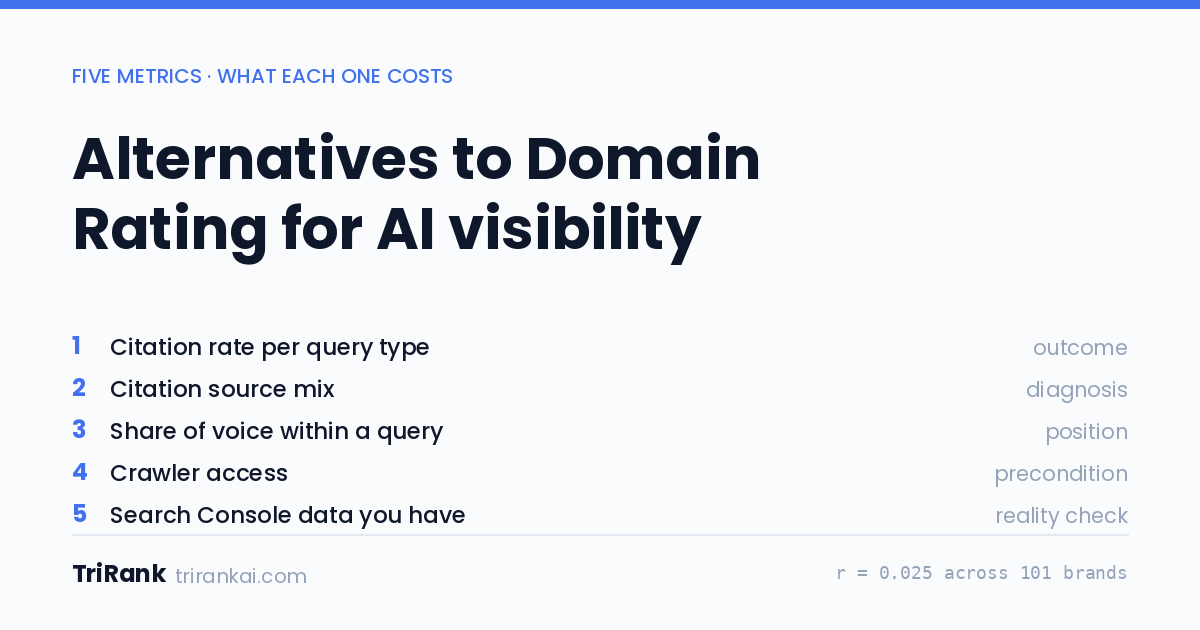
Alternatives to Domain Rating for Judging AI Visibility
Domain Rating showed no detectable link to AI citations across 101 brands. Here are five metrics that do measure it, what each costs, and where each one breaks.
Outrank Alternatives for Content and AI Visibility
Compare Outrank alternatives by article allowance, CMS workflow and citation measurement. Current official sources distinguish publishing for AI discovery from tracking.
Profound Alternatives for Small Teams and Enterprises
Evaluate Profound alternatives by billing unit, engine scope, Search Console, and missing-data rules. Source-dated options for small teams and enterprises.
邮件列表
加入我们的社区
订阅邮件列表,及时获取最新消息和更新